How do you change filament?
Changing filament is something you will do regularly, for example when you want to print in a new color, or when you're loading for the very first time.
What you need
- Your printer of course!
- Your new filament spool
- A small pair of pliers, sometimes these come included with your printer.
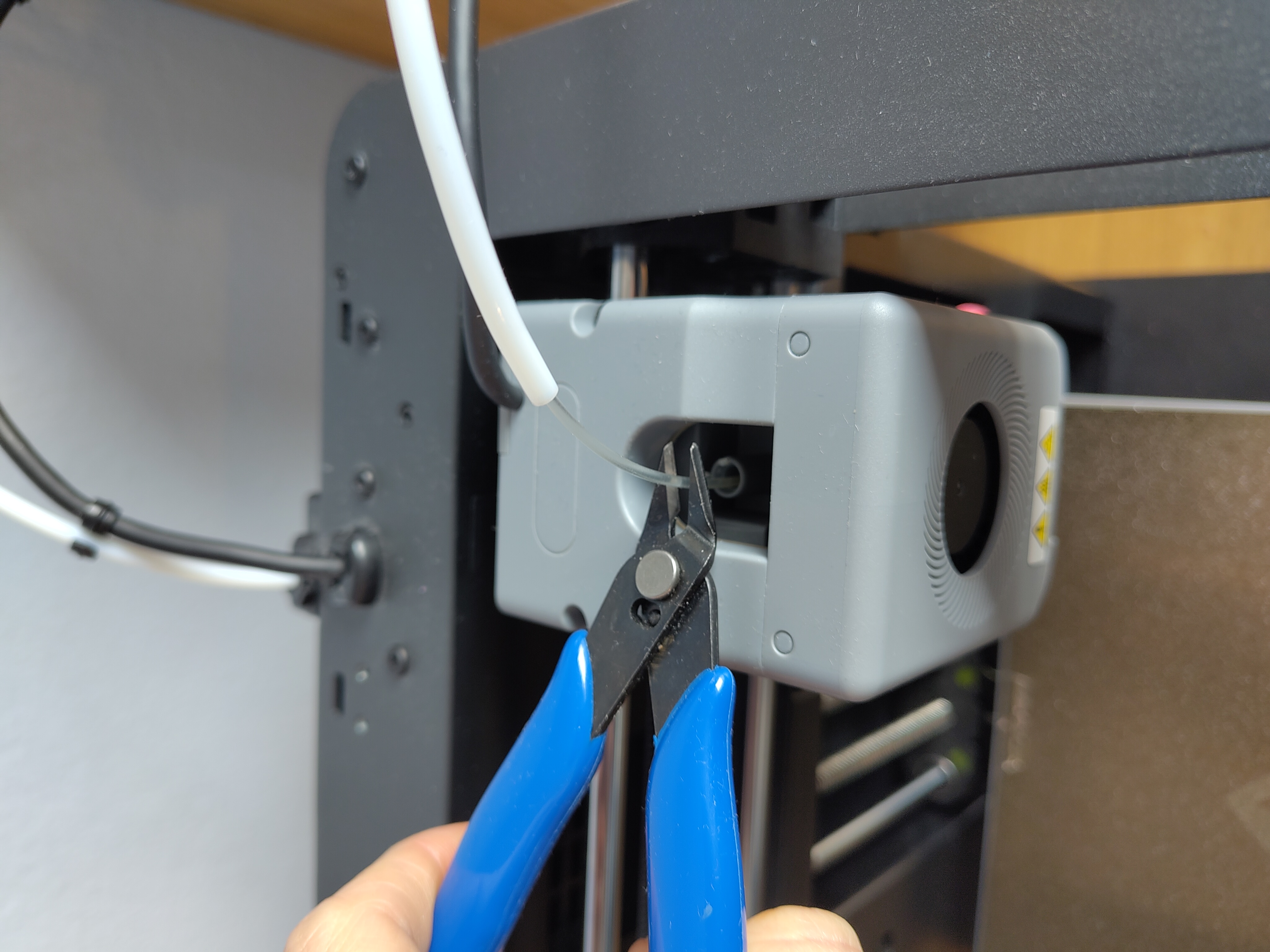
1. Cut your filament.
Cut your filament close to the extruder, often your filament runs through what's called a bowden tube. You can slide this upward away from the extruder. The extruder is the print head, the spot where the filament goes in via the bowden tube is where you can cut it.
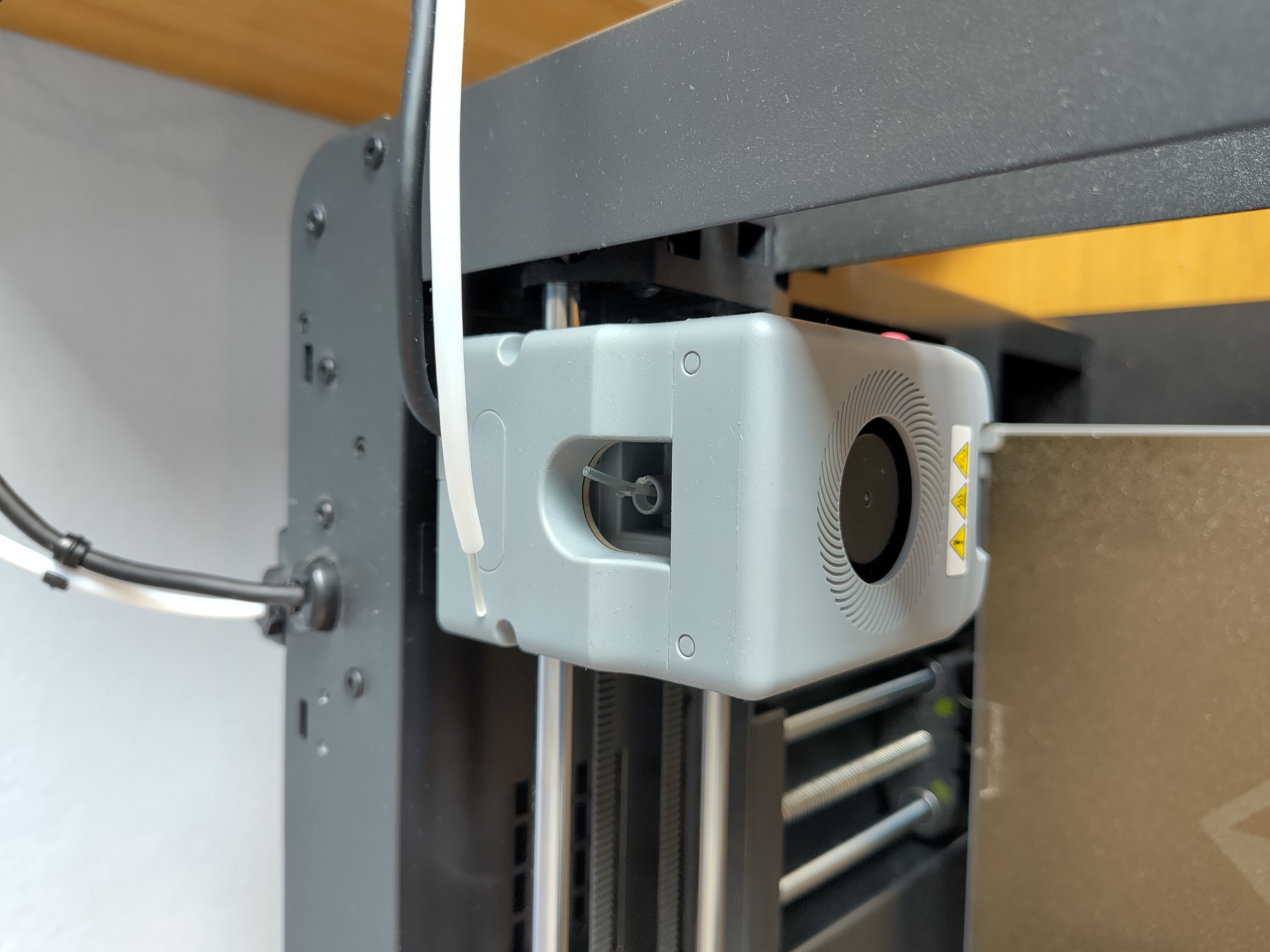
2. Roll your filament back.
You can now manually roll the filament spool backwards, which pulls the filament back through the bowden tube.
3. Place your new spool
Make sure it can unroll in the same direction as your previous spool. Or if you're placing one for the first time, make sure the filament can easily enter the bowden tube. If the tip of your filament is crooked or kinked, cut it off — it can cause the filament to run a bit rough through the bowden tube.
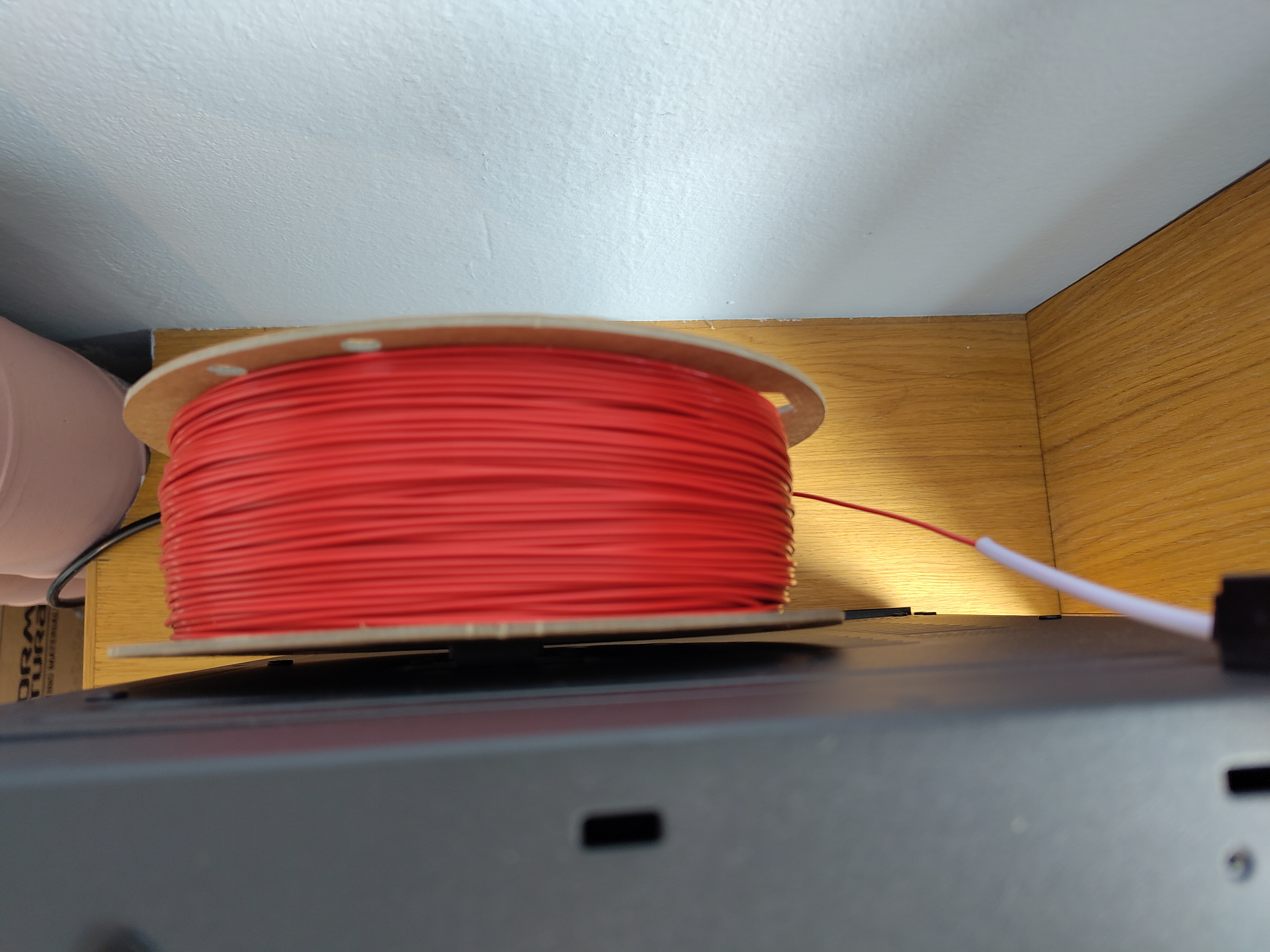
Important — make sure the filament can unwind freely.
4. Heating up your printer
Sometimes printers need to be warm before you can remove old filament. Usually this means the nozzle needs to heat up to around 200 to 220°C (depending on your filament). This makes sure the filament inside your printer melts and can flow out. Some printers have a dedicated button for changing filament, this lets the printer know it needs to heat up to 200/220 degrees, and it also makes the extruder start feeding filament on its own. On some printers you may need to manually press "load filament" or "extrude" to get things going.
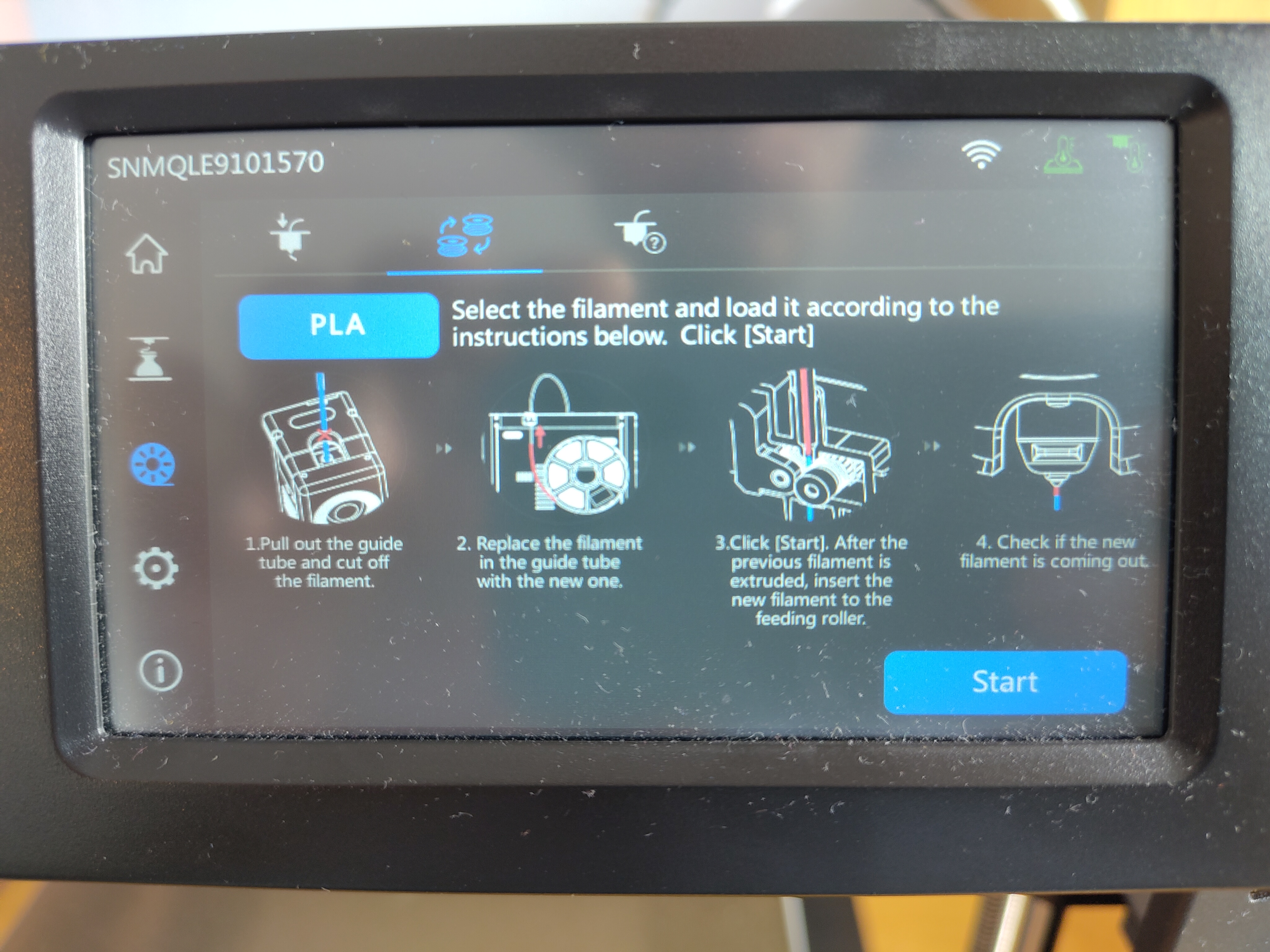
5. Feed in the new filament
Once filament starts running through your extruder, slowly push your new filament into the extruder. You'll feel it when the extruder gear grabs onto your filament. Don't push any further — it should start feeding on its own from here.
6. New filament
When your extruder starts outputting filament, the color should change to the new filament you've loaded. That's how you know everything went well!