
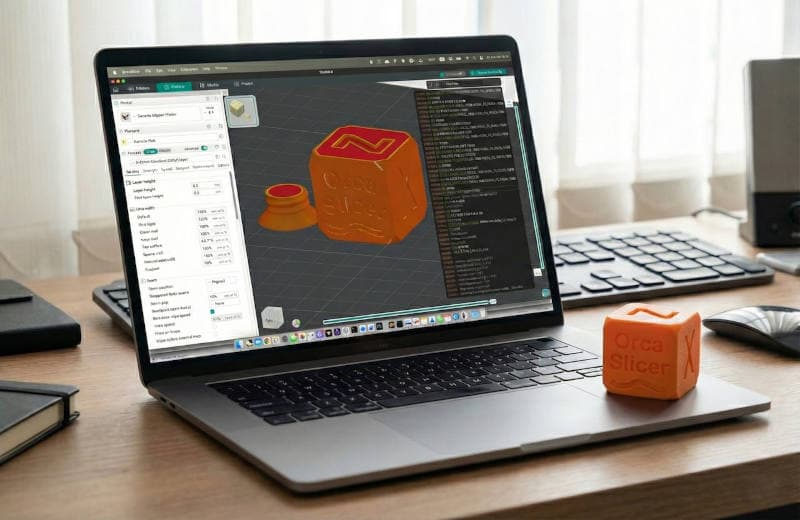
What is a slicer?
When you start with 3D printing, you'll quickly come across this word: "slicer".
But what exactly is a slicer? A slicer is a program on your computer that lets you load 3D models. This program makes sure your 3D printer understands the 3D models.
Why is it called a slicer?
The name kind of gives it away already — the program slices your 3D model into thin layers, from bottom to top. Each thin layer is a print line for your 3D printer, move here and lay down a line of filament.
Think of a loaf of bread that you cut into slices. Each slice of bread is a layer, and that's exactly how a 3D printer works.
What does a slicer do exactly?
You load a 3D model into the slicer, this is usually a file with the extension .stl or .3mf. Then you can adjust different things, like how thick you want the layers, how solid your print should be, or at what temperature it should print. After that you click the slice button. And it creates a new file. A G-code file. You send that file to your 3D printer, and the 3D printer will start printing.
Which slicer should I use?
There are different kinds of slicers. The most commonly used slicers are:
Bambu Studio is made by the makers of Bambu printers. Pretty easy to use and has a lot of settings already dialed in. If you have a Bambu printer, this is the best choice.
Orca Slicer looks a lot like Bambu Studio but works with almost all printers. We at Easy 3D Print think this is one of the easiest slicers out there.
Cura has been incredibly popular for years and works with almost all 3D printers. It has a lot more options and can be a bit overwhelming for beginners, that said, there are plenty of tutorials available for it.
Do I need to configure a lot?
Honestly, not really. With most slicers you can get by just fine with the default settings. Think about things like: What filament are you using? How solid does it need to be? The rest the slicer pretty much handles itself.
What then?
When the slicer is done, you'll see a preview of your print, layer by layer. You'll also see things like how long the print will take and how much filament you'll need. Then you save the file, and send it to your 3D printer.