
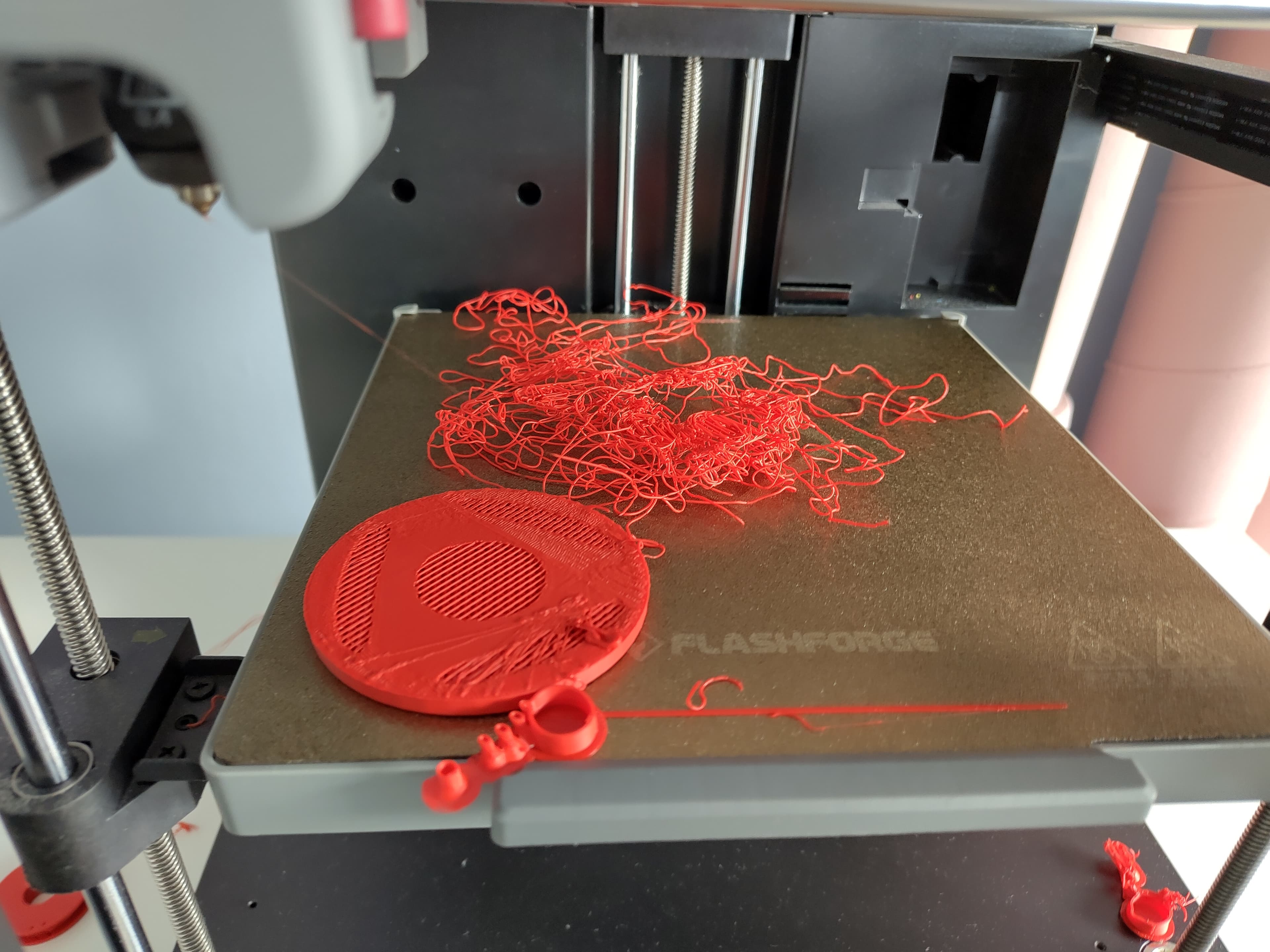
Why am I 3D printing spaghetti?
Sometimes you start a print and leave your print alone, but when you come back you find a total mess of spaghetti print. You question, why does this actually happen?! The cause is usually the same. Your print came loose and your 3D printer just keeps printing in the air.
But how did that happen?
The 4 most common causes:
1. Bad bed adhesion
What happend Your 3D print is loose on your bed, or has even fallen off completely.
Why? The first layer doesn't stick correctly to the bed, your print will shift or pop right off. Your 3D printer had no idea and keeps 3D printing in the air, ending up with spaghetti.
Solutions:
- Level your bed Is the bed flat? And is your nozzle at the right height on the first layer?
- Dirty bed If you pull 3D prints off the bed with your fingers, you might grease the bed a bit, this will affect stickiness on the bed. Dust could do the same thing. Wipe the bed with isopropyl alcohol (IPA). Or wash it with a tiny drop of dish soap (but IPA is preferred).
- Wrong bed temperature Did you have the correct temperature for your filament? For PLA this is between 200 and 220°C. Too cold means bad adhesion, too warm increases warping (see point 3).
- Print the first layer slower You could print the first layer slower, this gives the filament more time to stick.
2. Bad adhesion between layers
What happend Your 3D print started fine, but after a few centimetre a layer let's go of the rest. Destroying the rest of your print.
Why? The nozzle of your printer accidentally hit the 3D print while the nozzle moves around. The higher the print, the harder the hit, and the bigger the chance that a layer comes loose.
Solutions:
- Lower print speed, less vibration, less chance of hitting the print.
- Change Nozzle temperature, filament that's too cold doesn't stick properly. You might trying to raise the temperature by 5°C.
3. Warping (curling up)
What happend The corners or edges of your print lift up, making your 3D print to come loose.
Why? Plastic shrinks while cooling down. If cooling happens too fast, your model might warp. This could happen with large flat parts.
Solutions:
- Increase bed temperature This keeps the material warm for longer.
- Avoid drafts If you have an 3D printer without enclusoure, make sure there's no draft near your 3D printer. You could close the windows for example.
- Brim or Raft Use a brim or raft, this makes the contact surface on the bed bigger, reducing the chabge for your 3D print to come loose.
- Increase first layer thickness Not a preference, but you could make the first layer thicker, giving your bed a bit more grip.
4. Filament problems
What happend Your 3D print is crumbly or lumpy, maybe you can see air bubbles in it.
Why? Filament that absorbed moisture or is low quality could bubble during 3D printing. This prevents layers from bonding, and your print could fail.
Solutions:
- Dry your filament Store your filament in a dry box with silica gel, or dry it in a filament dryer (or oven at low temperature, ~50°C for PLA, be careful with this!).
- Adjust nozzle temperature Use the right temperature for your filament, if it's too hot this can happen.
- Try different filament If your print keeps failing, your filament might just not be great. You can easily test this with a different filament.