
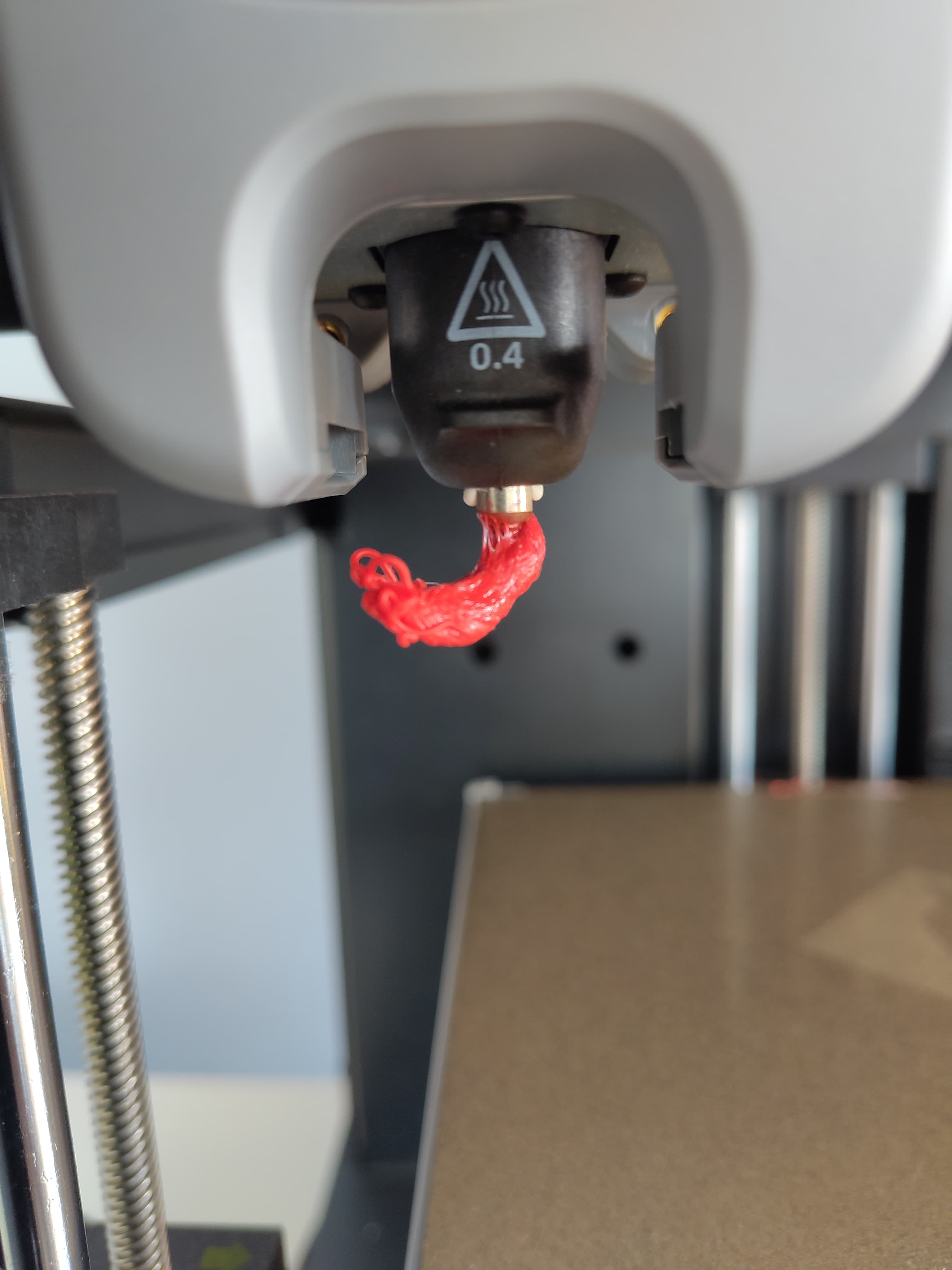
Why is there a blob on my nozzle?
Ugh, annoying. You're in the middle of a 3D print and when you check on it, you notice a big blob of filament stuck to the outside of your nozzle. The blob keeps growing during printing and ends up landing right in the middle of your print. Bummer, print failed.
This is a problem that comes up regularly, and it usually has a clear cause. Below we explain the most common ones.
The temperature is too high
Too high a temperature is the most common cause of a blob on the nozzle. If your nozzle is too hot, the filament becomes so liquid that instead of dripping downward, it crawls up along the outside of the nozzle. The material cools down there and forms a blob.
Try lowering your temperature by five degrees and run the print again. For PLA, 195°C to 210°C is a good starting range. Lower it step by step and see when the blob disappears.
The nozzle is too close to the print bed
On the first layer, your printer presses the filament flat onto the bed. If the nozzle is too close to the bed, the filament has too little room. Instead of spreading out neatly, it gets pushed back up toward the side of the nozzle. It sticks there and becomes a blob. You can recognize this because the blob appears right at the start of your print, on the first layer.
Increase your Z-offset by a small amount so there's just a little more space between the nozzle and the bed.
Retraction
Retraction is the movement where the 3D printer pulls the filament back when the nozzle moves from A to B. This prevents filament from oozing while the nozzle is moving.
But if retraction is too aggressive, the 3D printer pulls too much filament back up into the nozzle. That material cools down and sticks to the inner wall of the nozzle. On the next move, the filament gets pushed back out and can form a blob on the outside of the nozzle.
If you think this is your problem, lower your retraction length. For a direct drive extruder, 0.5 to 1.5mm is usually enough.
Wet filament
Filament absorbs moisture from the air, even when it's just sitting on your desk. "Wet" filament behaves differently, it bubbles and hisses inside the nozzle. This causes irregular pressure and can result in too much material coming out at times. That material then sticks to the nozzle and forms a blob.
You can recognize "wet" filament by a crackling or hissing sound during printing.
Dry your filament in a filament dryer or in a regular oven at a low temperature. Dry PLA at around 45°C for four to six hours, then store it in a sealed bag or container with silica gel.
Clog in the nozzle
When there's dirt or burnt material inside your nozzle, filament can't flow through it properly. The pressure inside the nozzle builds up higher than normal and looks for a way out. Occasionally the filament then gets forced out along the side of the nozzle and forms a blob there.
Clean your nozzle properly by doing a cold pull. Heat the nozzle to printing temperature, push some filament through, let the nozzle cool down to around 90°C and pull the filament out with a quick tug. Repeat this until the filament comes out clean.
If the problem persists, replace your nozzle. A new nozzle is inexpensive and often fixes these kinds of problems right away.
Summary
A blob on your nozzle almost always comes down to one of these causes:
- Temperature too high: lower by five degrees
- Z-offset too small: increase the distance between nozzle and bed
- Retraction too aggressive: reduce the retraction length slightly
- Wet filament: dry your filament and keep it dry
- Dirty nozzle: do a cold pull or replace the nozzle
Start with the temperature, that usually solves it!