
Why do I have bumps on the first layer?
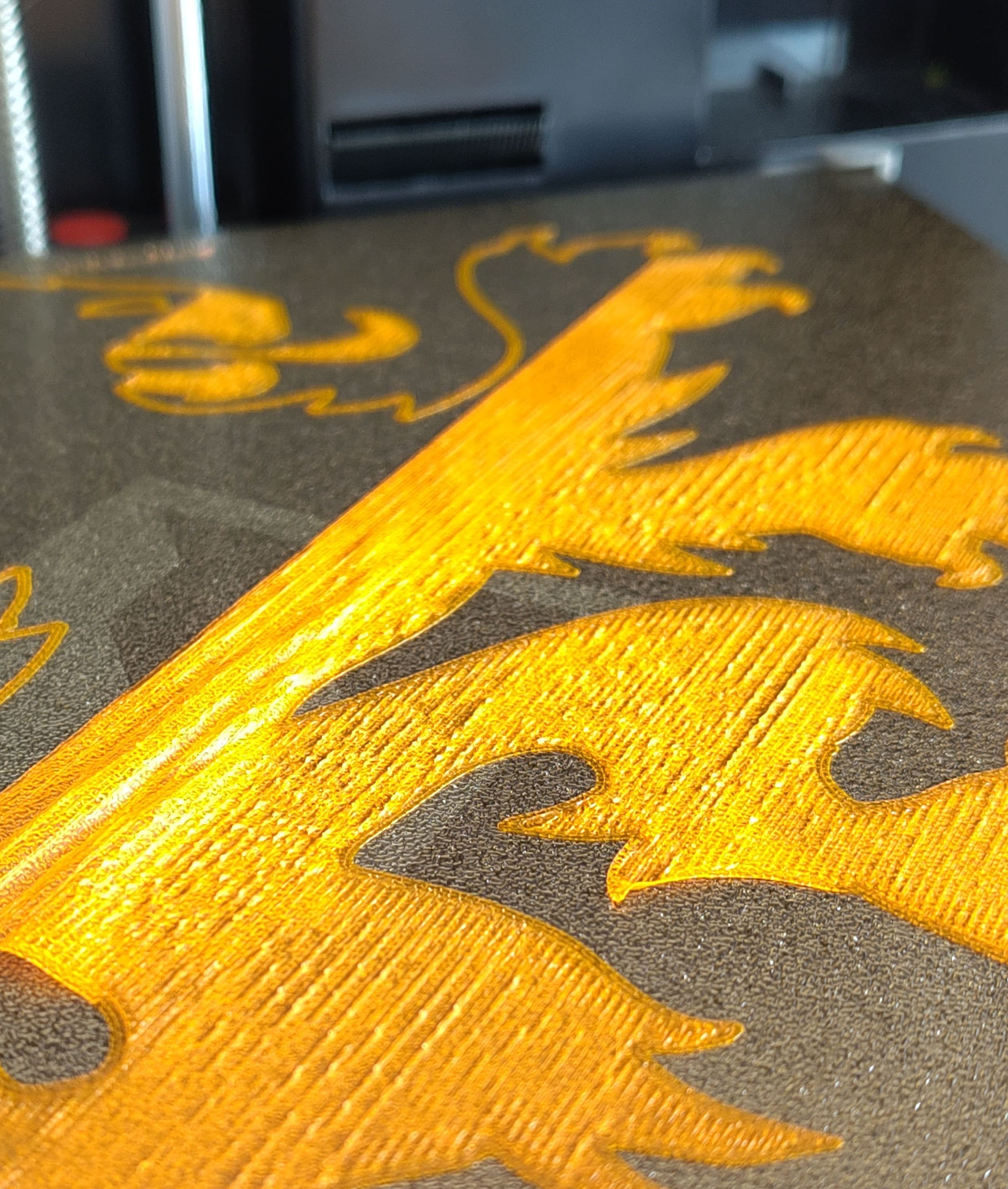
When you look at the first layer of your 3D print, you unfortunately see a bunch of small bumps. The layer looks like you're driving over the hills of the Ardennes. Annoying, because your 3D print has failed!
This also often has a clear cause.
Your nozzle is too close to the bed
This is the most common cause. When your nozzle is too close to the bed, the filament has too little room and gets spread out too much. As a result, the material has to go somewhere and moves upward and sideways. This causes bumps, ridges, or sometimes a kind of shiny surface.
You can raise your Z-offset by a small step, so there's just a little more space between your nozzle and your bed. Do this in small steps of for example 0.02mm.
Too much filament is coming out ( over-extrusion )
If your 3D printer pushes out too much filament, there's too much material, it builds up and forms these bumps.
This looks similar to a low nozzle problem, but the cause is actually the amount of filament.
You can adjust this in the "flow rate" ( or flow or extrusion multiplier ). If this is accidentally set to for example 104%, set it back to 100% and try again.
Your bed is dirty...
A dirty bed is quite a big concern with 3D printing. Very often failed prints are caused by a dirty bed. This is of course very easy to clean.
A blob on your nozzle
Sometimes some filament sticks to the outside of your nozzle, and when your print starts that blob drags across your first layer, leaving a lot of material behind. Quite annoying, but also easy to solve
Wet filament
Filament absorbs quite a lot of moisture from the air, even on your desk. "Wet" filament bubbles and hisses in the nozzle, which can sometimes cause too much or too little material to come out. This causes an irregular 3D filament print. And can therefore cause small bumps on your layers. You can recognize this by a crackling or hissing sound while printing.
Your bed is not level.
If your bed is tilted, the distance between the nozzle and the bed is not always the same.
When the nozzle is too close you get the bumps as described. But this is only when you see the bumps on one part of the bed, and not everywhere.